Connect Alexa and Ecobee for Hands-Free Temperature Control
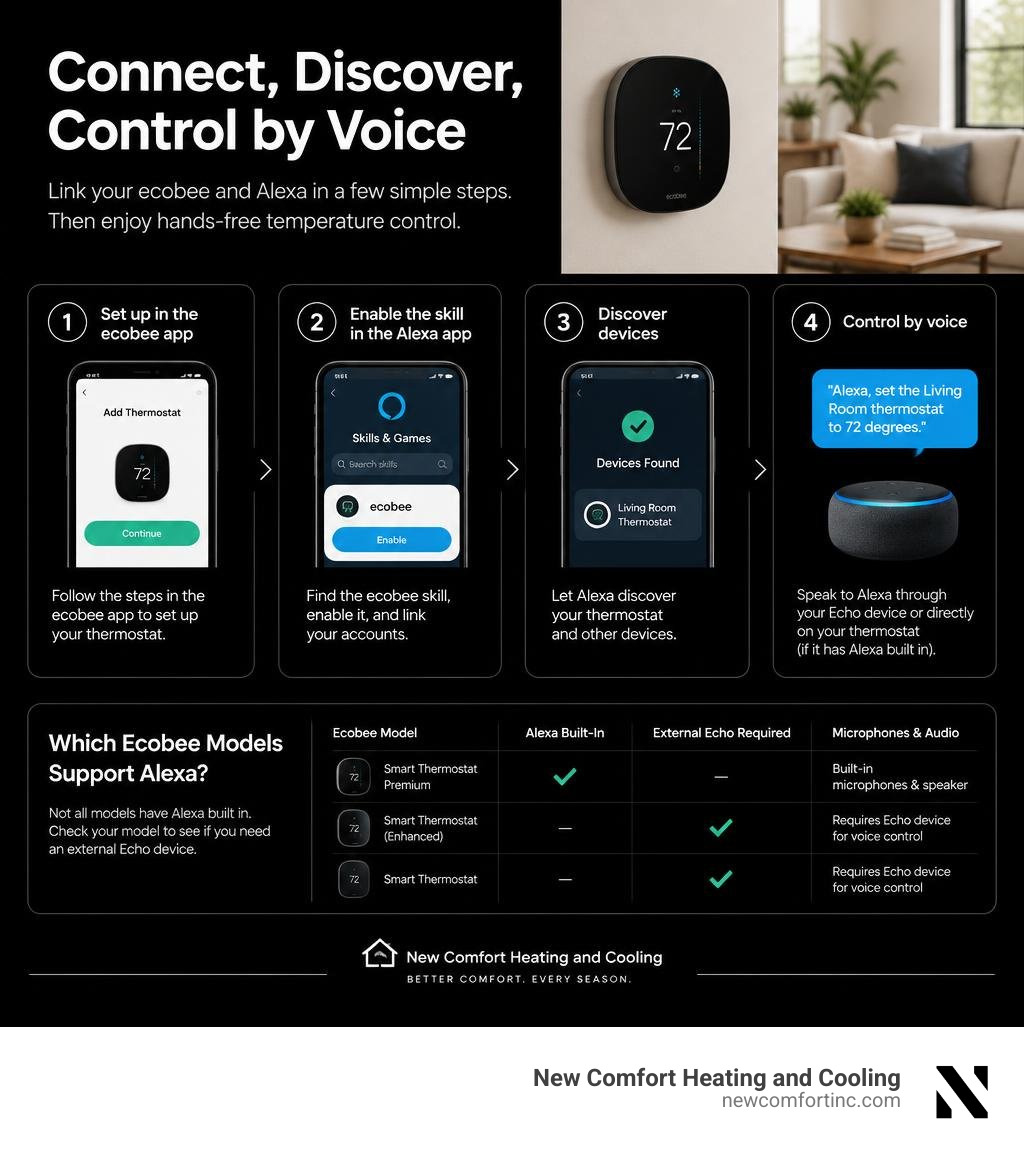
To control your ecobee with Alexa, set up the thermostat in the ecobee app, then enable the ecobee skill in the Alexa app, link your accounts, and discover devices. If your thermostat has Alexa built in, you can also link your Amazon account on the thermostat and speak to it directly. Otherwise, give commands through a separate Echo device.
Once connected, try: "Alexa, set the Living Room thermostat to 72 degrees." This guide covers setup, useful commands, and what to check when Alexa cannot reach your thermostat.
Understanding Compatibility Between Alexa and Ecobee Models
Pairing smart home voice assistants with climate hardware can transform everyday comfort. Studies show smart thermostats can help homeowners save up to 26% on annual heating and cooling costs, and the global smart thermostat market is projected to reach $11.5 billion by 2040. When planning your setup, the first step is understanding which hardware supports native voice control and which models require an external smart speaker.
| Ecobee Model | Alexa Built-In | External Echo Required | Microphones & Audio |
|---|---|---|---|
| Smart Thermostat Premium | Yes | No | Far-field mics, built-in speaker |
| SmartThermostat with voice control | Yes | No | Far-field mics, built-in speaker |
| ecobee4 | Yes | No | Far-field mics, built-in speaker |
| Smart Thermostat Enhanced | No | Yes | External audio via Echo |
| ecobee3 lite | No | Yes | External audio via Echo |
| ecobee3 | No | Yes | External audio via Echo |
If you own an ecobee3 lite smart thermostat or an Enhanced unit, you can still access every climate automation feature by relaying commands through any Amazon Echo speaker. Proper wiring during installation ensures your unit maintains a steady 24V C-wire connection for continuous Wi-Fi communication; our guide on how to install your thermostat correctly covers step-by-step mounting and wiring best practices.
Built-In Voice Control vs. External Echo Devices
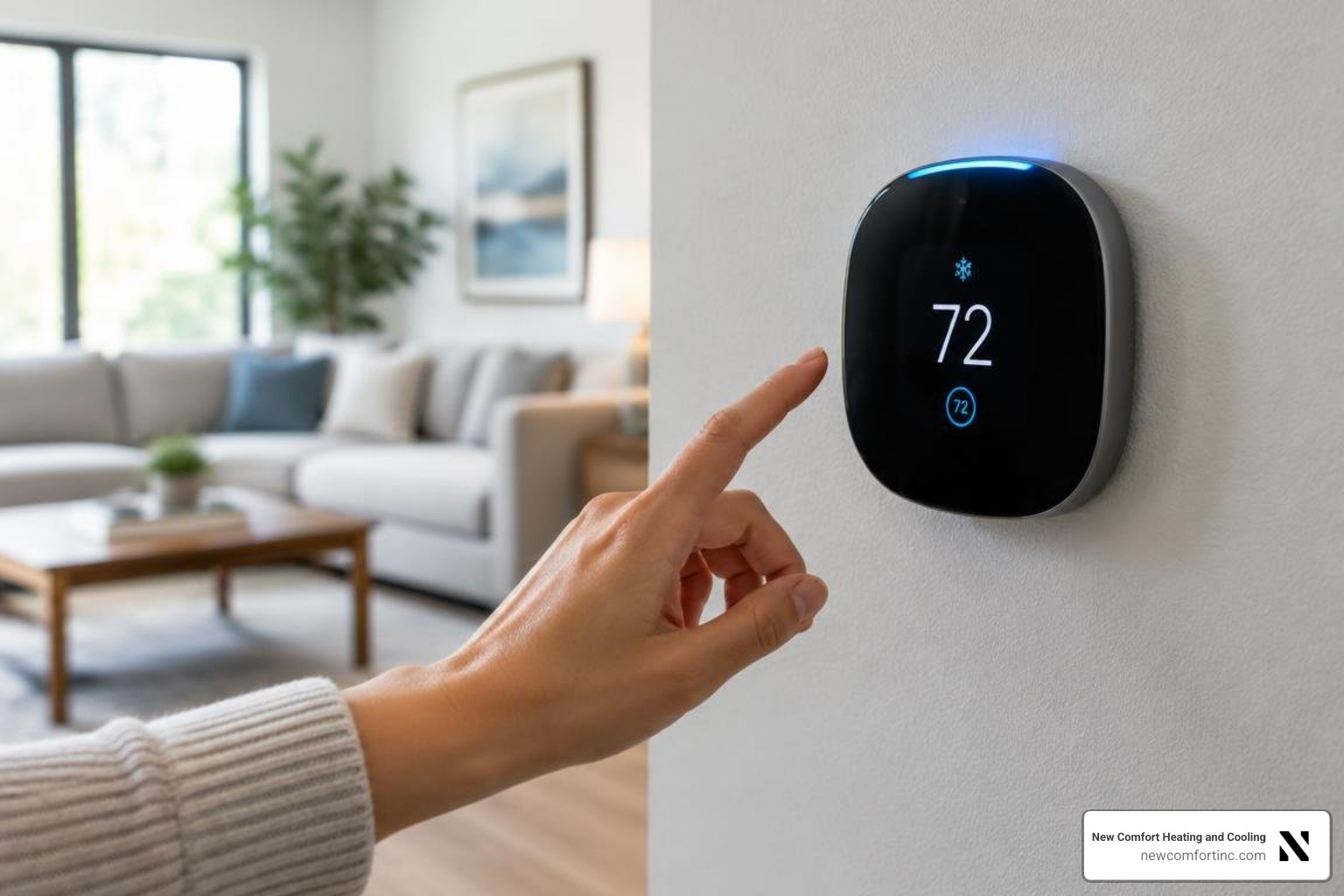
Thermostats with built-in voice control feature embedded far-field microphone arrays and integrated speakers. These devices act as functional smart speakers mounted directly to your wall. You can ask for news updates, set kitchen timers, stream audiobooks, and manage your daily calendar without buying an extra Echo Dot.
Built-in models also support ecobee Smart Security smoke alarm detection, using their active microphones to listen for standard smoke detector beeps when you are away. For privacy, ecobee includes a dedicated software toggle to turn Alexa access off or mute the microphone array entirely, turning the top light bar red to confirm it is no longer listening.
Expanding Automation with the Ecobee Switch+
The ecobee Switch+ smart light switch integrates voice capabilities directly into your light switch junction box. It features far-field microphones, motion detection, and ambient daylight sensing to turn lights on or off as people move through your home.
When linked with an ecobee thermostat, the Switch+ can also act as an extra room sensor, feeding localized temperature readings back to the thermostat to balance hot and cold spots. The Switch+ operates as an on/off switch without mechanical dimming, and its built-in occupancy sensor refreshes presence status roughly every 30 minutes in secondary platforms like SmartThings.
How to Configure and Optimize Voice Control Setup
A stable network foundation prevents voice dropouts. Make sure your thermostat connects to a 2.4 GHz Wi-Fi network with strong coverage before enabling skills. If you are retrofitting older HVAC wiring or configuring multi-stage equipment, our team offers specialized thermostat services to guarantee clean power delivery.
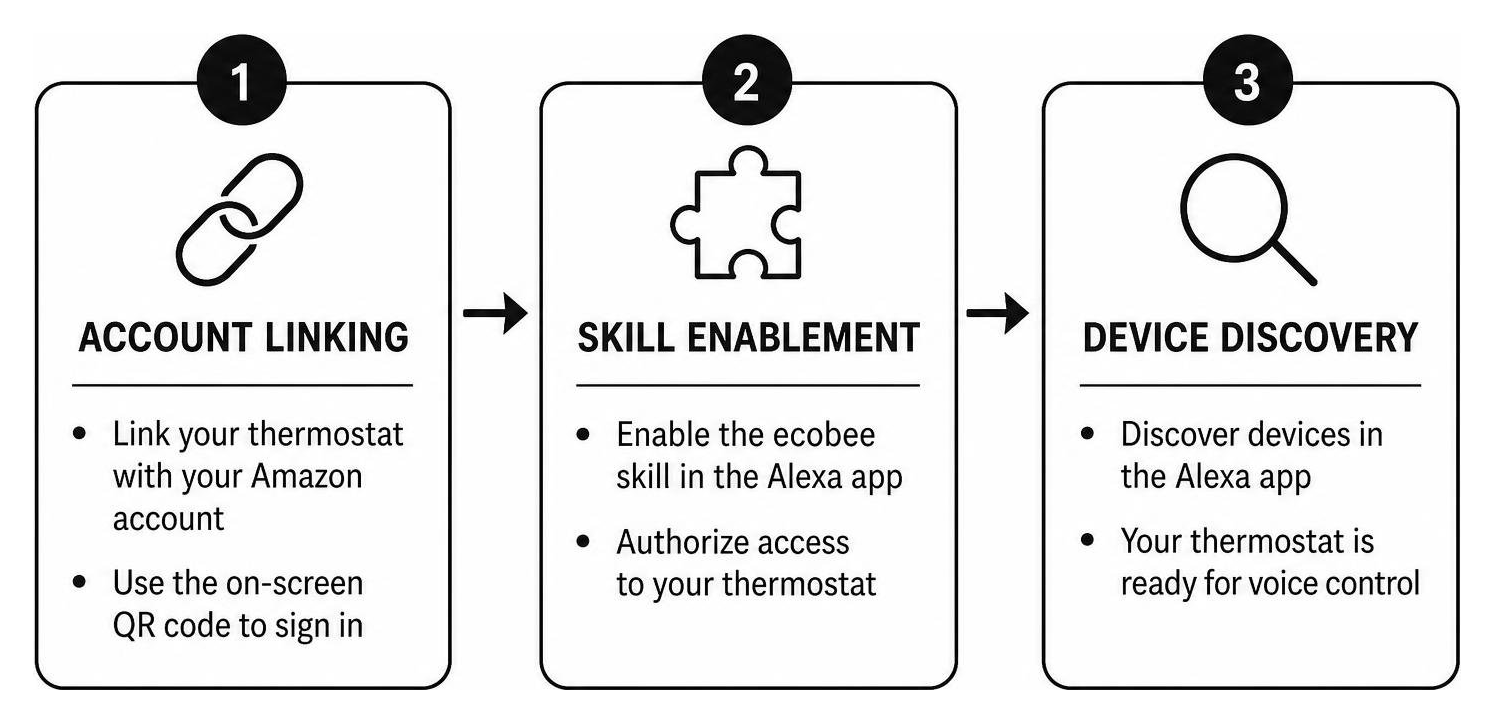
How to Link Alexa and Ecobee for Seamless Control
Linking your devices takes only a few minutes when following standard ecobee Alexa setup instructions:
- For Built-In Models: Tap Main Menu on the thermostat screen, select the Microphone icon, tap Link Alexa, and scan the generated QR code with your mobile phone camera to sign into your Amazon account.
- For Models Without Built-In Voice: Open the Amazon Alexa app, navigate to Skills & Games, search for ecobee, and select Enable to Use.
- Authenticate: Log in with your primary ecobee account credentials and authorize the connection.
- Discover Devices: Instruct your speaker by saying "Alexa, discover devices" or tap Discover inside the Alexa app.
When using Auto Mode (where heating and cooling both remain active), requesting a specific target temperature tells the system to position your desired setpoint as the exact midpoint between your heat and cool comfort thresholds. Assign simple, distinct names to each thermostat—such as "Main Floor" or "Hallway"—to prevent voice confusion.
Managing Alexa Announcements and Privacy Settings
Alexa Announcements turn your built-in ecobee thermostats and Switch+ units into a whole-home public address system. When you broadcast a message ("Alexa, announce that dinner is ready"), the ecobee speaker plays the recording directly in your own voice rather than the default virtual assistant voice.
You can configure Do Not Disturb schedules within the Alexa app for individual devices in bedrooms or quiet areas. You can also press the physical push-to-talk button on the faceplate or toggle Privacy Mode in the thermostat menu to disable voice listening whenever needed.
Essential Voice Commands and Multi-Platform Smart Home Automation
Controlling your indoor climate is straightforward once your skill is active. Whether you are adjusting targets across rooms or setting vacation schedules, clear phrasing ensures quick execution.
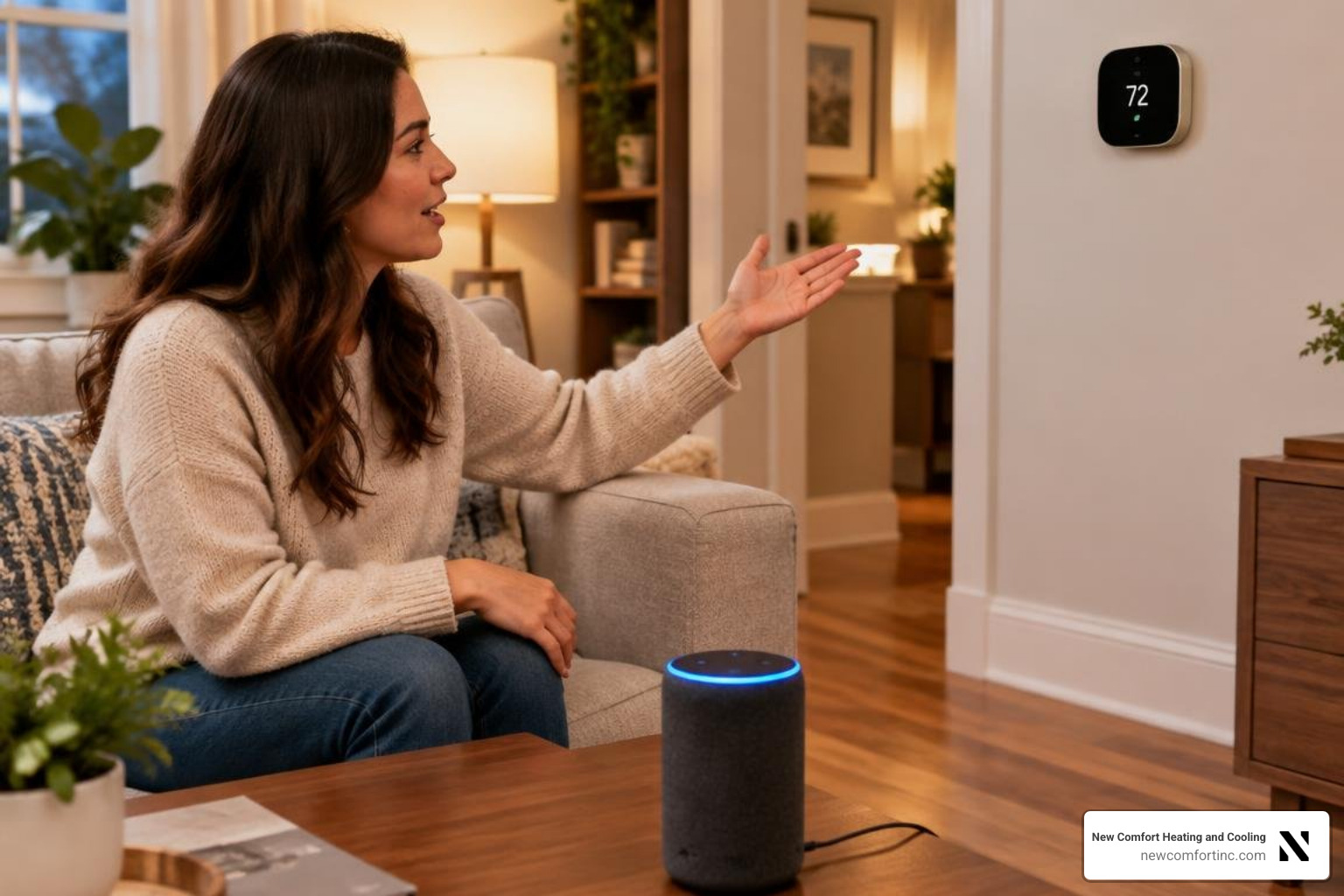
Core Voice Prompts for Everyday Climate Control
Refer to the official ecobee voice command guide for advanced syntax options. Common voice prompts include:
- Checking Conditions: "Alexa, what is the temperature inside?"
- Target Adjustments: "Alexa, set the Hallway thermostat to 70 degrees" or "Alexa, make it two degrees warmer."
- Changing Modes: "Alexa, set the thermostat to Cool mode."
- Fan Operation: "Alexa, tell ecobee to run the fan for 20 minutes."
- Comfort Profiles: "Alexa, tell ecobee I am leaving" or "Alexa, ask ecobee to resume my schedule."
For multi-story residences where individual rooms heat and cool at different rates, pairing voice automation with specialized zoning system services gives you precise control over motorized duct dampers in every section of your home.
Advanced Routines and Automations for Alexa and Ecobee
Connecting your thermostat to Alexa routines allows climate control to respond to everyday household events. You can create a "Good Night" routine that locks the exterior doors, dims compatible lighting, and switches the thermostat comfort setting to Sleep.
For broader automation, ecobee integrates smoothly with Apple HomeKit, Samsung SmartThings, and IFTTT. Using custom services like third-party Alexa Voice Monkey automations, you can program spoken alerts and visual status updates across screen-enabled Echo devices whenever indoor humidity or temperature exceeds your targets. This fine-tuned management works especially well when paired with an efficient heat pump integration, allowing the system to maintain optimal balance between utility savings and year-round indoor comfort.
Troubleshooting Common Communication and Network Issues
When voice commands fail, network handshakes between cloud servers are usually responsible rather than physical equipment defects.
Resolving Server Unresponsive and Not Responding Errors
If your speaker replies that the thermostat server is unresponsive, review this ecobee Alexa troubleshooting reference to restore the connection:
- Refresh OAuth Cloud Tokens: The secure authorization token between Amazon and ecobee can expire over time or after account password updates. Open the Alexa app, navigate to the ecobee skill, tap Disable Skill, wait 30 seconds, and select Enable to Use to re-authenticate.
- Power-Cycle Hardware: Remove the thermostat faceplate from the wall bracket for 30 seconds to restart the internal processor.
- Inspect Wi-Fi Signal Strength: On the thermostat, tap Main Menu > General > About > Wi-Fi. If the signal strength drops below 85%, move access points closer or reduce physical wall interference.
- Update Router DNS: Configure your home router to use public DNS servers (such as Cloudflare
1.1.1.1or Google8.8.8.8) to prevent cloud lookup timeouts.
Fixing Device Discovery and Command Misunderstandings
If discovery scans fail or voice requests return errors:
- Remove Duplicate Names: Make sure no light switch, room group, or smart plug shares the exact same name as your thermostat.
- Check for Active Holds: An ongoing manual hold or Vacation Hold can lock out basic automated adjustments. Tap the hold banner on the screen or use the ecobee mobile app to resume your normal schedule.
- Verify Temperature Scales: Ensure both the Alexa app and the ecobee hardware are set to the same unit (°F or °C). A mismatch can cause Alexa to reject commands that fall outside standard range limits.
Frequently Asked Questions About Alexa and Ecobee
Can I control an ecobee thermostat without Alexa built-in using voice commands?
Yes. Models such as the ecobee3 lite, ecobee3, and Smart Thermostat Enhanced do not have built-in microphones, but they fully support voice control through any separate Amazon Echo device once you link the ecobee skill in the Alexa app.
What should I do if Alexa says my ecobee is not responding?
First, open your ecobee mobile app to confirm the thermostat is connected to Wi-Fi. If it appears online, disable and re-enable the ecobee skill inside the Alexa app to refresh the cloud security token, then run a fresh device discovery scan.
Can ecobee thermostats with built-in Alexa play music and set timers?
Yes. Thermostats featuring built-in voice control can stream music from linked audio services, manage multiple kitchen timers, read daily flash briefings, and answer general reference questions directly through their integrated speaker.
Summary of Voice-Controlled Climate Management
Integrating your climate hardware with voice control eliminates manual thermostat adjustments and streamlines whole-home energy management. To review complete mounting, wiring, and initial configuration steps, explore our complete ecobee thermostat setup guide. If you need assistance with HVAC zoning, smart controls, or system optimization, our certified technicians are available 24/7 with same-day service across Chicagoland.